







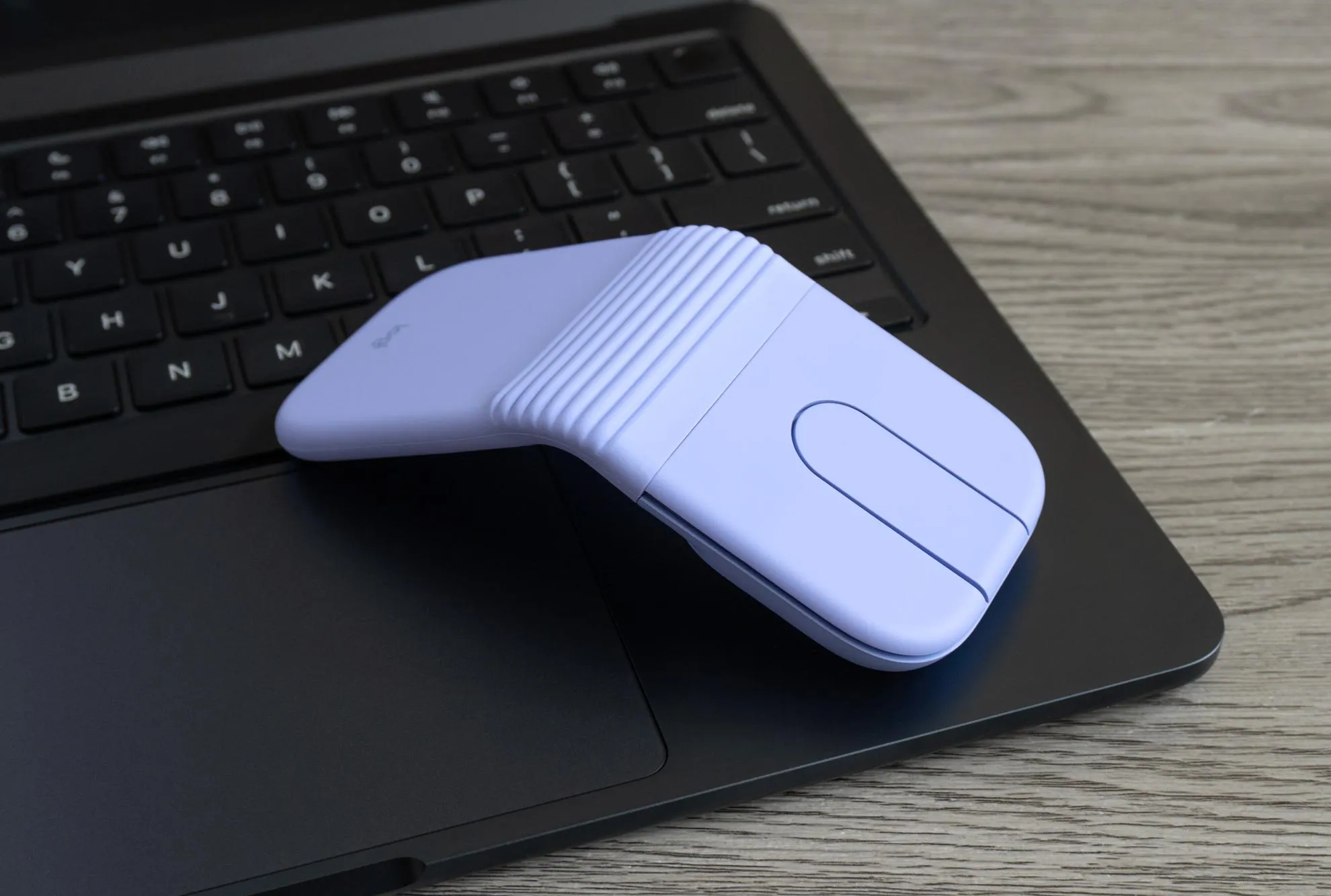
The Logitech Mobi Fold sets out to solve a very specific problem: how to carry a real mouse without lugging around the bulk. Logitech already builds some of the finest productivity mice you can buy, but its lineup of truly portable, premium travel options has long been thin, essentially limited to the MX Anywhere 3S. With the Mobi Fold, the company has gone even smaller and lighter, targeting people who want more than what a laptop touchpad can offer.
A Familiar Yet Fresh Design
Anyone who remembers old Microsoft peripherals will likely spot the resemblance right away. The Mobi Fold looks like a modern spiritual successor to the Arc mouse line, a family of gadgets that arguably arrived ahead of their time.
The headline feature is right there in the name. The mouse folds in half to become a tiny rectangle measuring 2.2 by 2.5 inches, less than an inch thick, and weighing barely more than two ounces. It’s so compact that it practically vanishes into a bag and slips easily into a pocket, even the famously shallow pockets found on many women’s pants.
When it’s time to work, you simply unfold it, set it on a table, and get right back to clicking and scrolling.
How It Works in Daily Use
Despite its unusual shape, the Mobi Fold behaves much like a traditional mouse once you start using it.
Key features include:
- Physical left and right buttons that are dampened, so clicks won’t disturb colleagues nearby.
- A small central touchpad that acts as a scroll wheel for moving through long documents and web pages.
- A middle-click function, activated by pressing down on the touchpad.
- Full customization through Logitech’s free Options+ companion app.
On the underside, there’s a Bluetooth pairing button that supports up to three devices at once, complete with indicator lights showing which one is active. You’ll also find a cutout for the sensor, a USB-C charging port around the back, and built-in feet that help the mouse glide smoothly across different surfaces.
Setup couldn’t be simpler. Once paired with a laptop, opening and closing the mouse automatically turns it on and off, which means no accidental clicks while it’s tucked away in transit.
Where It Falls Short
For all its cleverness, the Mobi Fold isn’t perfect, and a few compromises come with its ultra-compact design.
The geometric, tent-shaped body isn’t the most comfortable to hold. There’s a satisfying bit of bounce when you press on the hinge, but the large gap in the middle leaves nowhere natural to rest your thumb or outer fingers. On the upside, that same shape makes the mouse fully ambidextrous, a welcome bonus for left-handed users.
Scrolling is another area where the trade-offs show. While you can adjust the touchpad’s sensitivity, it still doesn’t feel as smooth as a proper physical wheel. Even so, it remains as good as, if not better than, the vast majority of laptop touchpads.
Battery Life
Battery performance is a standout. Logitech claims up to 30 days on a single charge, and that figure seems believable. After about two and a half weeks of intermittent use, the review unit still had more than 70 percent remaining.
If you do run low, a quick top-up goes a long way. The company says one minute of charging adds 22 hours of runtime, easily enough for several workdays. In testing, the mouse climbed from 70 to 80 percent in just sixty seconds. The catch is that there’s no cable or power adapter in the box, so you’ll need to borrow one from your phone or laptop.
Who It’s For
The Mobi Fold clearly caters to a particular kind of user: someone who is never quite satisfied with their laptop’s built-in trackpad and wants a featherweight alternative for life on the move. For people who simply work faster with a physical mouse and don’t mind carrying one, as long as it stays light, this is an appealing option.
There are a few things to weigh before buying:
- At $80, the price may be steep for some buyers.
- The design prioritizes portability over comfort and ergonomics.
- Getting a dedicated wireless dongle instead of relying on Bluetooth means paying $10 more for the business model.
The biggest hurdle, though, is Logitech’s own MX Anywhere 3S. It costs $90 rather than $80, but it offers longer battery life, three extra buttons, an excellent physical scroll wheel with Magspeed technology, and a more comfortable feel, all without being dramatically larger.
The Verdict
The Logitech Mobi Fold won’t be the right mouse for everyone, and the MX Anywhere 3S remains the better all-rounder for most people. But if maximum portability is your top priority, the Mobi Fold delivers something genuinely special: one of the most travel-friendly pointers on the market, small enough to forget you’re even carrying it.
Author