







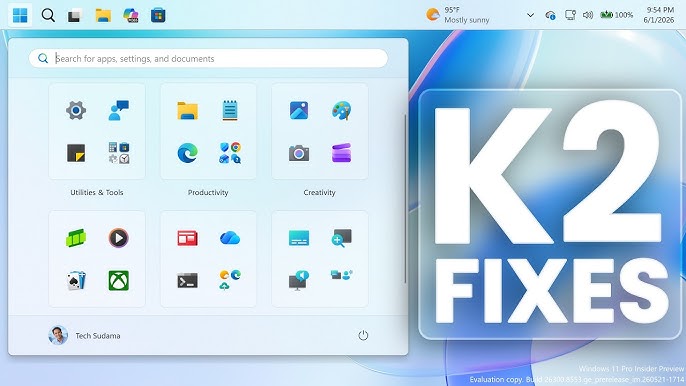
Windows 11 CPU boost is now officially rolling out to users, promising faster app launches and more responsive core features like the Start menu and Search. Microsoft has begun distributing KB5094126, the June 2026 cumulative update for Windows 11 24H2 and 25H2, bringing a performance tweak that many users have been waiting to see land in the stable channel.
What the June Update Delivers
The latest release pushes OS builds 26100.8655 and 26200.8655 to compatible machines. More importantly, it folds recent preview changes from an earlier optional update, KB5089573, into the regular Patch Tuesday rollout.
That move means a broader audience now gains access to Microsoft’s general performance improvement for app launches and key shell actions. Features that were previously limited to testers are finally reaching the wider Windows 11 user base through the standard monthly update.
Quick CPU Bursts for a Faster Shell
At the heart of this update is a clever performance trick. While Microsoft’s official changelog never actually uses the term “Low Latency Profile,” the notes do explain that the update speeds up app launches and core shell experiences such as the Start menu, Search, and Action Center.
The mechanism behind the Windows 11 CPU boost is straightforward but effective. When you open an app or interact with common interface elements, Windows briefly ramps up the CPU clock speed to make the action feel snappier. This burst typically lasts somewhere between one and three seconds, after which the processor settles back down to its normal operating state.
The result is a system that feels more immediate and responsive during everyday tasks, without keeping the CPU running hot all the time. It’s a targeted approach that prioritizes the moments when speed matters most.
From Optional Update to Monthly Release
This isn’t entirely new territory. The same CPU burst behavior was previously distributed through the optional May update, where it first gave users a taste of the improvement. The June update now carries that same change into the monthly security release, making it part of the regular update cycle.
That said, Microsoft is still using a staged rollout. Installing KB5094126 doesn’t automatically guarantee that the feature will be active on every PC right away. Some users may see the benefit immediately, while others might need to wait as the rollout gradually expands.
How to Check and Enable the Feature
For those curious about whether the Windows 11 CPU boost is working on their machine, there’s a simple way to find out. According to Windows Latest, you can monitor your CPU frequency while opening the Start menu, Search, or Action Center. If you notice the clock speed spike during those actions, the feature is active.
If the clock speed doesn’t jump, the feature can apparently be enabled early. Users can turn it on manually using ViVeTool with the feature ID “58989092.” This gives more advanced users a way to access the improvement ahead of the staged rollout reaching their device.
More Than Just a Speed Boost
While the performance enhancement is the headline, KB5094126 packs in a number of other useful additions. The update broadens functionality across several areas of the operating system, including:
- Shared Audio support for two Bluetooth LE Audio devices, making it easier to share sound
- Multi-App Camera support for using the camera across multiple applications
- New Task Manager NPU columns, giving better visibility into neural processing unit activity
- An option to choose the user folder name during the setup process
There’s also a welcome refinement to Windows Search. The feature can now locate and prioritize files using as few as two characters, making it quicker to surface what you’re looking for without typing out a full query.
A Major Security Batch Included
Beyond the new features, this June Patch Tuesday release carries significant security weight. Security researchers have counted roughly 200 Microsoft vulnerabilities addressed this month, a sizable number that includes several issues rated as Critical.
That makes installing the update worthwhile even for users who aren’t particularly excited about the performance tweaks. Staying current with these patches helps keep systems protected against the latest threats, which is reason enough to apply the update promptly.
Why This Update Matters
The arrival of the Windows 11 CPU boost in the monthly update marks a meaningful step in Microsoft’s ongoing effort to make the operating system feel faster and more polished. Rather than relying on heavy background processes, the approach focuses on delivering short bursts of speed exactly when users interact with the system.
By moving the feature from an optional preview into the regular Patch Tuesday cycle, Microsoft is signaling confidence in the improvement and making it accessible to a far larger group of people. Combined with the other feature additions and the substantial security fixes, KB5094126 shapes up to be a well-rounded update.
Final Thoughts
For everyday Windows 11 users, the June update offers a noticeable improvement in how responsive the system feels during common tasks. The Windows 11 CPU boost may only last a second or two at a time, but those brief moments of added speed can make the overall experience feel smoother and more satisfying.
If the feature hasn’t activated on your machine yet, patience may be all that’s needed as the staged rollout continues. And for those who can’t wait, the option to enable it early through ViVeTool offers a quick path to the improvement. Either way, with performance gains, fresh features, and important security patches all bundled together, KB5094126 is an update worth installing sooner rather than later.
Author