





Microsoft’s New Surface Laptop for Business Adds a Privacy Screen and Advanced Haptics
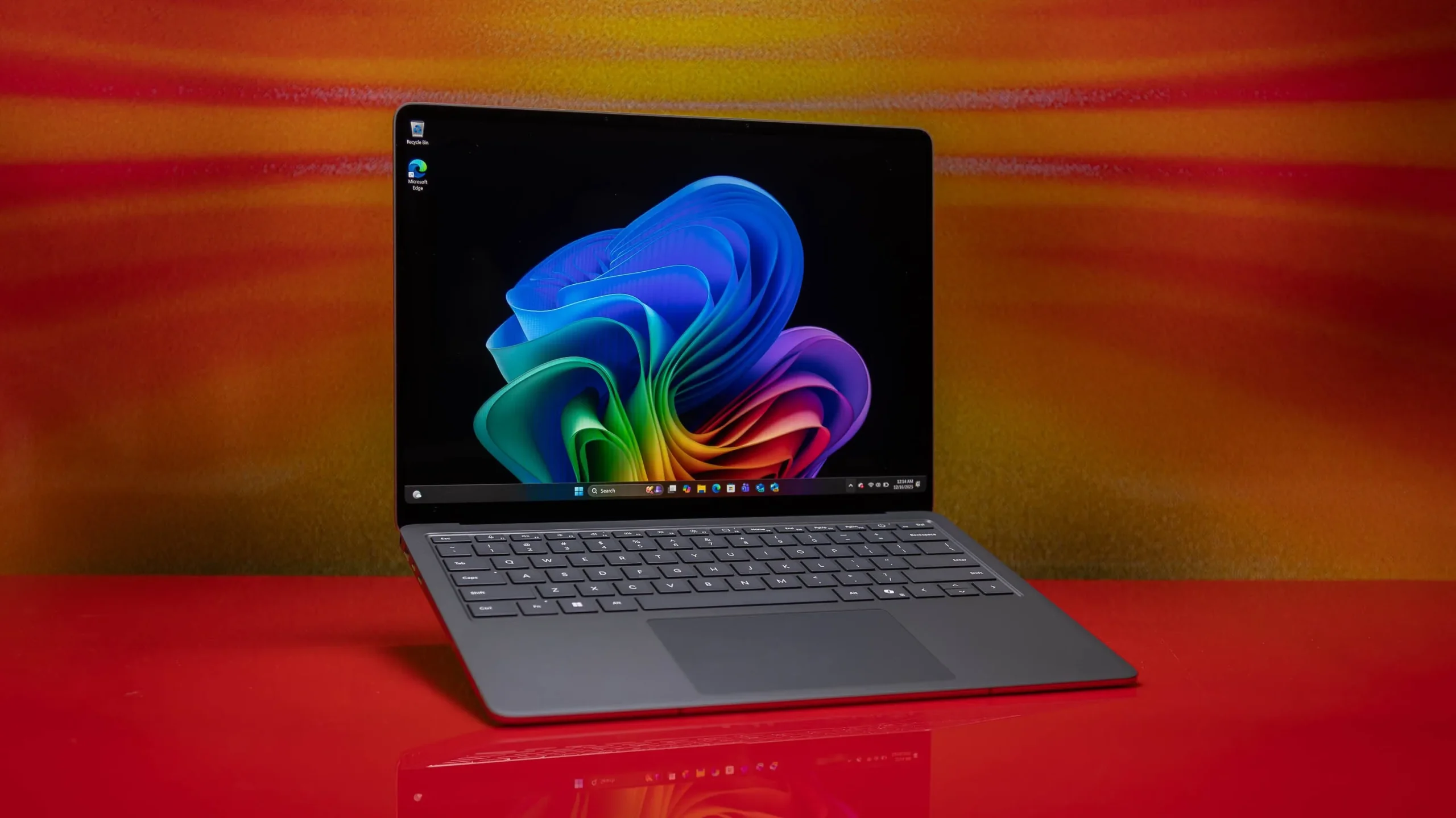
The new Surface Laptop for Business arrives with a couple of genuinely interesting tricks up its sleeve, including a built-in privacy screen and a refined haptics system. Microsoft has unveiled its latest Surface Pro and Surface Laptop for Business lineup, and while enterprise hardware does not always grab headlines, these particular machines pack features worth a closer look.
The launch comes at an awkward moment. The industry is in the middle of a RAM shortage, and Surface prices have climbed as a result. Even so, Microsoft is pressing ahead with new products.
A Privacy Screen That Works at the Press of a Button
The standout addition is an optional integrated privacy screen with anti-glare, which Microsoft says is a first for a Surface device. It can be switched on with a single key on the keyboard, making it easy to shield your work in public spaces.
In hands-on testing, the privacy screen proved effective, though not flawless. Content remained visible from a slight angle, and it took roughly a 40-degree viewing angle before the display became unreadable to onlookers.
In practical terms, that means the filter still allows for side-by-side collaboration while making it harder for someone a few feet away to read over your shoulder. A seatmate on a plane might still catch a glimpse, but the privacy filter would make it considerably more difficult for them to actually read your work.
One caveat: it is not yet confirmed whether the smallest 13-inch model supports this privacy screen, so buyers should verify configuration details before assuming it is included.
Advanced Haptics: Feedback You Can Feel
The second highlight is Microsoft’s refined haptics system, part of an effort the company calls Advanced Haptics. Microsoft describes it as evolving into a system-level interaction language, meaning vibrations are used to communicate information rather than just confirm a click.
The system responds to more on-screen actions, providing tactile feedback during tasks like dragging items into outlined areas or resizing windows. Microsoft offered a few examples of how these cues work:
- A crisp alignment cue when objects snap to guides or canvas edges during drag, scale, or rotate actions.
- A subtle cue when your pointer nears the Close button, helping prevent accidental window closures.
In a demo, the effect was easy to appreciate: dragging a small box toward its target produced a vibration that clearly signaled the action was on track.
The haptics also extend to pen input. The Surface Slim Pen 2 includes a haptic motor that makes writing feel more natural and delivers distinct tactile signals to confirm supported actions. Third-party apps can tap into the feature too, with video editor Wondershare Filmora and design app Concepts already on board. Microsoft says the system targets a feedback response time of under 50 milliseconds.
Sizes, Specs, and Performance
The Surface Laptop for Business comes in 13-inch, 13.8-inch, and 15-inch sizes. The smallest model, in particular, impressed in early hands-on time with its compact size and overall style, though the anti-glare screen struggled somewhat under harsh direct sunlight.
Both the Surface Pro and Surface Laptop run on Intel’s Core Ultra Series 3 processors. Microsoft is making bold performance claims, stating that some Surface models deliver up to 35 percent more graphics performance than a MacBook Air with the M5 chip.
Battery life also looks strong. Microsoft estimates the Surface Laptop can last up to 23 hours on a charge, while the Surface Pro is rated for up to 17 hours. Both devices are designed to process AI tasks on-device.
The Surface Pro, being a 2-in-1, supports touch, keyboard, and pen input. Its keyboard accessory can communicate with the tablet even when detached, adding flexibility, and an optional 5G radio is available for connectivity on the go.
Pricing and Availability
These devices are aimed at organizations buying for employee fleets rather than individual consumers, though anyone could technically purchase one. Pricing breaks down as follows:
- Surface Pro for Business, 13-inch: starts at $1,950
- Surface Laptop for Business, 13-inch: starts at $1,300
- Surface Laptop for Business, 13.8-inch and 15-inch: start at $1,950
All models are available starting today in select markets. As business-focused machines, they also include a range of security features intended to give IT administrators peace of mind.
The Bottom Line
The new Surface Laptop for Business is not designed with everyday consumers in mind, but its standout features make it tempting all the same. A one-button privacy screen and a thoughtfully expanded haptics system give these machines a distinct identity in a crowded enterprise market. The main wish from early impressions is that Microsoft brings the privacy filter to the smaller 13-inch model, which would make an already appealing laptop even harder to resist.
Author