







Coros Voice Control Update: A Massive Free Upgrade That Puts Pressure on Garmin
The Coros voice control update is the headline feature of a generous new software release that proves the brand is in no mood to slow down. Coros has been on a remarkable run lately, rolling out fresh hardware designs and steady software improvements that keep its watches feeling current long after purchase. The latest example is the May update, a free package of upgrades that gives Garmin a real reason to pay attention.
Among everything in this release, one feature stands out: hands-free voice commands. After spending time with the update in beta on the Coros Pace 4, one of the strongest running watches you can buy from any brand, it is clear this is more than a gimmick. For runners especially, it solves a genuine everyday annoyance.
Which Watches Get the New Features
Not every Coros owner will receive the full set of upgrades. Some additions are available to everyone through the Coros app, but the most advanced features rely on hardware found only in the brand’s newest models, specifically a built-in microphone and a dedicated action button.
That means the complete experience is reserved for three watches:
- Coros Pace 4
- Coros Apex 4
- Coros Nomad
The good news is that you do not need to hunt anything down. The update arrives automatically through the Coros app, so it is worth checking in regularly to download it to your watch over Wi-Fi or Bluetooth.
Voice Control: The Star of the Show
On a compatible watch, holding the action button now activates voice control. Voice features are nothing new in the smartwatch world, but what impresses here is the range of commands Coros has built in, and how well they fit a runner’s actual needs.
Take treadmill running. Coros watches have long let you input the speed and incline of your treadmill so the data on your wrist matches the machine. Until now, that meant digging through menus mid-run. With the update, you can simply speak the changes, adjusting speed and grade without breaking stride.
Track runners benefit too. If you switch lanes during a session, you can announce the change by voice rather than fumbling with buttons. It is a small thing, but anyone who has tried to navigate a watch screen while running fast will appreciate it.
Share Your Workouts in Style
This next feature is open to all Coros users through the app, no new hardware required. You can now turn your workout data into shareable content by laying your session stats over a photo you snapped during the run, dropping them onto a video, or placing them on a ready-made template image.
It is quick and straightforward to use, making it easy to produce polished posts for social media or to share with friends in seconds.
AI Training Insights Through MCP
One of the more forward-looking additions is Coros support for a Model Context Protocol, or MCP. In plain terms, this is a secure bridge that lets AI platforms read your Coros training data so you can ask them questions about your performance and get tailored advice.
There is a catch: using the Coros MCP requires a paid AI subscription, either ChatGPT Plus or Claude Pro. If you already have one, though, the payoff is real. You can ask things like how recent travel has affected your recovery numbers, or what your training should look like over the coming week, and get useful, personalized answers.
A Watch Face Runners Have Been Waiting For
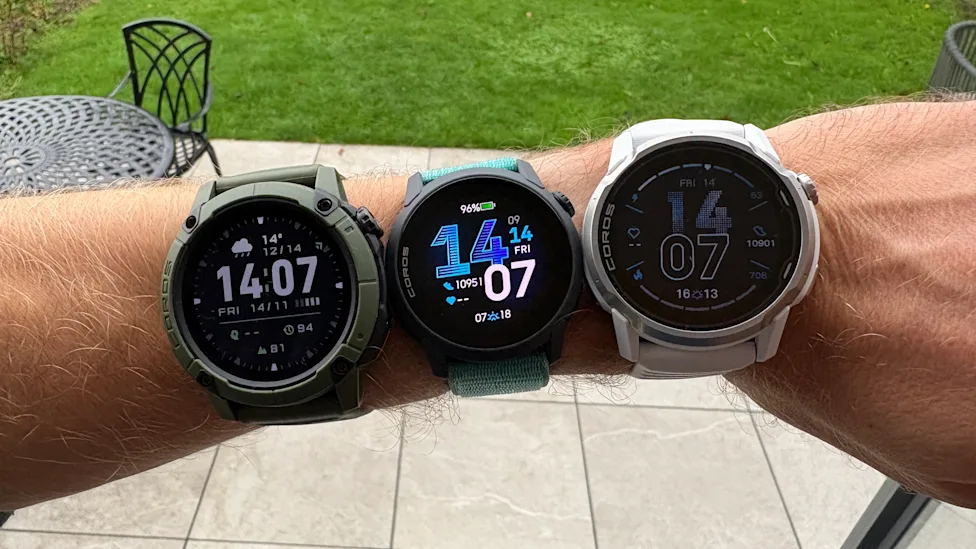
This update is modest in scope but long overdue. Coros has added a new multidata watch face that displays your weekly mileage for running or cycling, a stat that has long been front and center on Garmin and Apple Watch faces.
The ideal version would let weekly mileage appear as a customizable data field on any watch face, rather than being tied to one specific design. Still, having it available at all is a welcome step in the right direction.
Smarter Distance Alerts During Workouts
Another small but genuinely useful change involves distance alerts. You can now set a recurring distance alert that runs alongside your manual laps.
This is especially handy for structured training. Long workout segments are often broken up with manual laps, and during those extended efforts a recurring distance alert helps keep pacing consistent without any extra input from the runner.
Better Strength Training Tools
Coros has also sharpened its strength training experience. The app already lets you build strength sessions with planned exercises, sets, and reps, and the watch automatically counts your reps as you go.
The update adds welcome flexibility on top of that. You can now:
- Edit the reps and intensity of your sets afterward, either on the watch or in the app
- Reorder exercises on the fly, which is perfect for a crowded gym where your planned sequence falls apart
- Create custom exercises, complete with details on the muscles each one targets
The Bottom Line
Taken as a whole, this free update reinforces why Coros has become such a serious challenger in the running watch space. The voice control feature is the obvious headline, but the smaller refinements, from weekly mileage tracking to flexible strength workouts, show a brand listening closely to what runners actually want. For Garmin, that should be a sign worth heeding.
Author