






Instagram Instants Explained: What to Know Before Your Chin Close-Up Goes Public
The new Instagram Instants feature has caught millions of users off guard this week — often in the most unflattering way possible. Designed to share photos the moment they’re taken, Instants has flooded inboxes with unfiltered selfies, awkward angles and plenty of accidental double-chin close-ups.
For many people, the first encounter with Instants wasn’t a tutorial. It was a surprise notification and a sinking feeling.
A Cautionary Tale: “I’ve Sent Six Pictures of My Double Chin”
Lydia Prior, a 33-year-old full-time content creator in Hertfordshire, England, knew something had gone wrong when a follower liked her “instant.” The problem was simple — she had no idea what an instant even was.
She clicked the notification with a growing sense of dread, thinking, “Oh no, what have I done?” What she found was a small nightmare: roughly half a dozen unflattering selfies accidentally shared with hundreds of her followers.
“I’ve sent six pictures of my double chin,” she said, describing the confusion of not knowing how it happened — or how to undo it — while followers laughed and asked if she’d done it on purpose.
Prior was far from alone. Millions of Instagram users stumbled into the same trap this week.
What Exactly Are Instagram Instants?
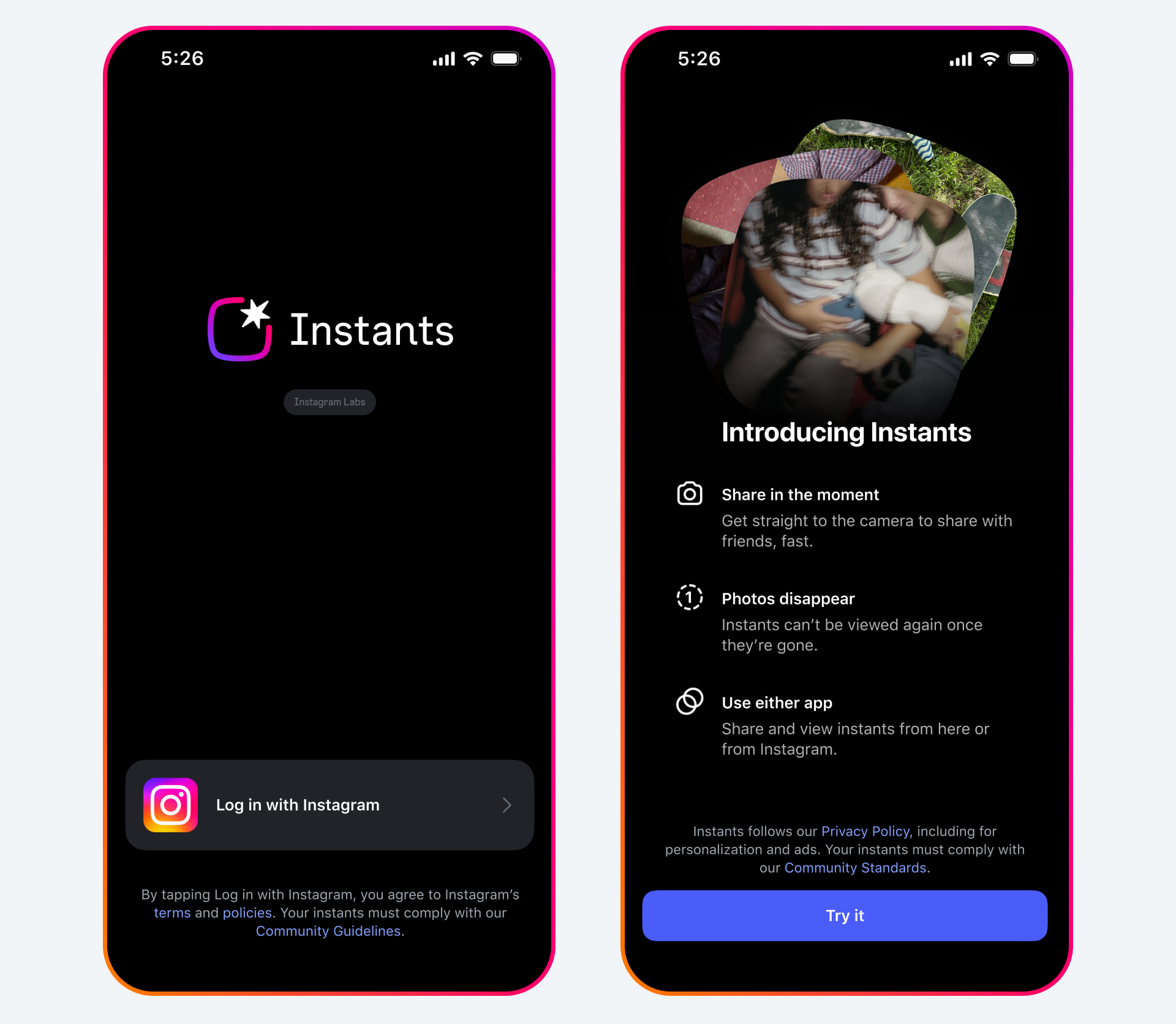
Instagram rolled out Instants on Wednesday, and the concept is straightforward but unforgiving. The feature shares a photo with your mutual followers or close friends immediately after it’s taken.
Here’s how it works in practice:
- Instants appear as a small stack of photos in the bottom-right corner of your inbox
- Tapping the stack lets you scroll through posts from people you know, then opens a camera
- On the camera page, you choose whether your photo goes to “Friends” or “Close Friends”
- The instant you tap the shutter button, the photo is shared with that list
That last point is the catch. There’s no review screen and no pause for second thoughts — the shutter tap is the send.
The first time you open the photo stack, Instagram does provide a brief tutorial. But as this week proved, plenty of users tapped through before fully realizing what the feature did.
Who Can See Your Instants?
According to a Meta spokeswoman, only people you follow who also follow you back — or those on your close friends list — can see your instants. Those viewers can react and reply to the images.
There are a few important privacy details that set Instants apart:
- Unlike stories, you can’t tell who quietly viewed your instant without reacting
- Similar to Snapchat snaps, instants disappear right after someone sees them
- No one can view an instant after 24 hours
- Followers cannot screenshot them
“We’ve Got the Double Chins”
For some users, the chaos became a source of shared comedy.
Sophia Pacitti, 32, couldn’t stop laughing when she discovered Instants on Wednesday night. Her photo stack was overflowing with unfiltered, awkwardly angled selfies — many from friends who normally maintain polished, carefully curated Instagram presences.
“We’ve got the double chins; we’ve got the forehead selfies, the confused and disgruntled faces,” she said.
In solidarity, Pacitti joined in with her own deliberately “silly, ugly-looking” photo. She later called the update “wack” in a reel, where one commenter joked that everyone had gotten “a taste of what it feels like to be an old person trying to navigate social media.”
She also made a sharper observation: the feature strips away the illusion of perfection. People used to filters and orchestrated stories, she suggested, are suddenly “getting caught out in the wild” with something real and raw.
Why Instagram Built Instants
From Instagram’s perspective, that rawness is the entire point.
The company says Instants gives users a way to share casual, everyday photos that aren’t as polished as feed or story posts. In a reel announcing the feature, Instagram chief executive Adam Mosseri said it would help people share “much more authentic moments about their day.”
Mosseri also pointed to a shift in user behavior — many people simply don’t post to their profile grids much anymore. Instants, he explained, is one of Instagram’s attempts to get users connecting around personal content with the people who matter most to them.
That low-pressure framing does appeal to some. Brian Bidanjiri, a personal trainer who normally uses Instagram to recruit clients, said Instants gave him a low-stakes way to just be silly with friends. “It doesn’t need to get any likes,” he said.
How to Undo or Avoid Sending an Instant
If the idea of accidental selfies makes you nervous, the good news is that you have control. Here’s how to manage Instants.
To undo an instant immediately: Tap the “undo” button that appears at the bottom of your screen right after sharing — but act fast, as this only works within seconds.
To delete an instant later: Open the archive by tapping the four squares in the top-right corner of your Instants page. Select the instant you want to remove, then choose “Delete instant” from the drop-down menu in the top-right corner.
To disable Instants entirely: Go to your settings and activity tab. Under “What you see,” tap “Content preferences,” then toggle on “Hide instants in inbox.”
To temporarily snooze Instants: From your inbox, hold down on the stack of instants and swipe right to hide them. Swipe left to bring them back — just be careful where you tap.
The Bottom Line
The Instagram Instants feature is a bold push toward unfiltered, in-the-moment sharing — and for some users, that’s a refreshing break from the pressure of a perfect grid. For others, it’s a privacy headache waiting to happen with one careless tap.
Either way, the lesson from this week is clear: know how Instants works before you open that camera. Whether you embrace the double-chin era or disable the feature entirely, the choice is now yours to make — ideally before your followers start liking your accidental selfies.
Author